Is RAID a Backup? (Spoiler: No)
Is RAID a Backup? The Short Answer
RAID protects against hardware failure, not data loss.
That might sound like a small distinction, but it’s the difference between staying operational and losing everything.
What RAID actually does
RAID (Redundant Array of Independent Disks) spreads data across multiple drives.
Depending on the RAID level:
RAID 1
Mirrors data across drives
RAID 5
Uses parity to rebuild data
RAID 10
Combines speed and redundancy
The key point:
RAID is designed to keep your system running if a drive fails.
ccktech Tip
Not all RAID levels offer protection. RAID 0 provides speed by splitting data across drives, but it offers zero redundancy — if one drive fails, all data is lost.
Why RAID is NOT a backup
A proper backup protects you from losing data entirely.
RAID does not.
Here’s why:
Accidental deletion
Delete a file? RAID deletes it instantly across all drives. No recovery.
File corruption
Corrupted project file? RAID copies that corruption everywhere.
Ransomware / malware
If your system gets hit: Your RAID array encrypts everything — perfectly.
Theft, fire, or damage
External RAID on your desk? Gone.
Multiple drive failure
Especially in RAID 5: Lose more than one drive → total data loss
What happens when RAID fails
RAID failures aren’t always clean.
Sometimes:
- Rebuild fails
- Another drive drops during rebuild
- Controller issues corrupt the array
Result:
- Downtime
- Expensive recovery
- Or complete data loss
So what IS a proper backup?
A real backup strategy follows one simple rule:
Your data must exist in more than one place.
Typically:
Primary storage
Your RAID or working drive
Local backup
Another drive or system
Offsite backup
Cloud or remote system
This is often called the 3-2-1 backup rule:
3
Copies of your data
2
Different media types
1
Offsite
Where RAID actually fits
RAID is still useful — just not for backup.
It’s best used for:
- Keeping systems running during drive failure
- Fast access to large files
- Working storage for video, audio, and production
Think of RAID as uptime protection, not data protection.
Bringing it together
For many businesses and creative workflows, the safest setup combines:
- RAID for performance and redundancy
- External or local backups for quick recovery
- Cloud or offsite backups for disaster protection
ccktech Tip
If you’re currently relying on RAID alone, now is the time to fix that. The safest setups combine performance, redundancy, and proper backup — not just one or the other.
For real data protection
Local backups give you a fast way to recover files if something goes wrong — whether that’s accidental deletion, corruption, or a failed RAID rebuild.
This is typically done using:
External hard drives for large, cost-effective backups
Ideal for backing up large volumes of data, external hard drives offer the most storage for the lowest cost. They’re commonly used for scheduled backups of RAID systems, media libraries, and long-term project storage where capacity matters more than speed.
High-capacity desktop drives for ongoing project backups
Desktop drives are designed to stay connected and handle regular backups automatically. They’re perfect for backing up active projects, creative workflows, and business data, providing a reliable local copy that’s always up to date and easy to restore from.
Portable SSDs for quick, flexible backup workflows
Portable SSDs are a great option for fast, on-the-go backups. They’re ideal for transferring files between systems, backing up critical work while travelling, or keeping a secondary copy of important data separate from your main setup.
Whether you need speed, backup, or both — we can help you choose the right setup.
Cloud and offsite backups for full protection
Local backups are essential, but they won’t protect you from theft, fire, hardware failure, or site-wide issues. That’s where offsite and cloud-based backups come in.
Here are some high-capacity drives ideal for backing up RAID systems and large storage setups:
-
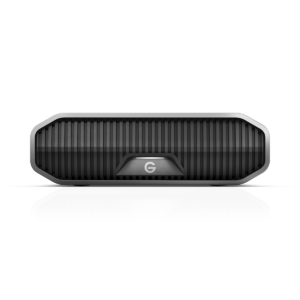
G-DRIVE
G-DRIVE G-DRIVE
From £157.00
(£188.40 inc. VAT)Shop Now This product has multiple variants. The options may be chosen on the product page -
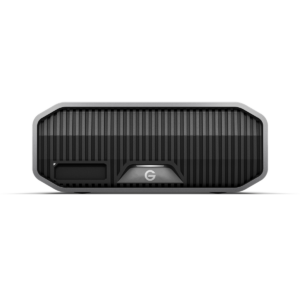
G-DRIVE
G-DRIVE PROJECT
From £280.00
(£336.00 inc. VAT)Shop Now This product has multiple variants. The options may be chosen on the product page -
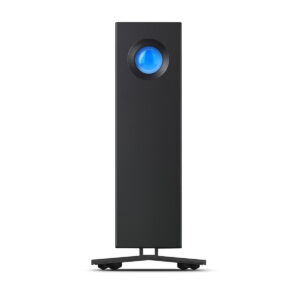
LaCie
LaCie d2 Professional USB-C Hard Drive
From £173.00
(£207.60 inc. VAT)Shop Now This product has multiple variants. The options may be chosen on the product page -
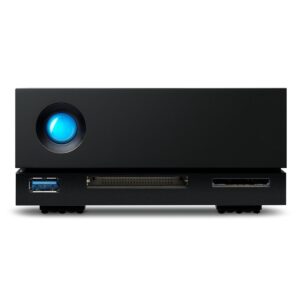
LaCie
LaCie 1big Dock HDD
From £349.00
(£418.80 inc. VAT)Shop Now This product has multiple variants. The options may be chosen on the product page
Not sure which setup is right?
Get advice from real storage specialists — no jargon, just the right setup.
Friendly advice from the ccktech team