



Why buy from ccktech
Storage specialists
Helpful guidance across portable, desktop, NAS and backup storage.
Expert pre-sales advice
Get help with compatibility, performance and choosing the right setup.
Fast UK delivery
Quick dispatch on in-stock items with clear delivery messaging.
Trusted UK supplier
Supporting creative teams, professionals and business customers across the UK.
G-DRIVE
G-DRIVE PROJECT
High-Capacity Hard Drive, Thunderbolt 3, USB (10Gbps), 7200RPM Ultrastar Hard Drive, Up to 260MB/s read.






Ask the Web Team
Need help choosing the right capacity or storage solution? Our web team can help with product advice, compatibility, and workflow guidance.


Friendly advice from our UK team
Overview
The G-DRIVE PROJECT is made for makers. Transfer, edit, and archive large volumes of high-value content daily. The workflow is fast and simple, so you can focus on the content, and have peace of mind about your storage.
High-capacity and Fast Data Transfers
Quickly backup or add extra storage to your computer for your HD photos, videos, and music with high-speed data transfers up to 260MB/s read and write (18TB and 22TB capacities) using the Thunderbolt 3 (40Gbps) port.
7200RPM Ultrastar Enterprise-class Hard Drive Inside
For your demanding workloads and mission-critical content, you can rely on the power and enhanced reliability of the 7200RPM Ultrastar enterprise-class hard drive inside.
PRO-BLADE SSD Mag Slot
Offload, make copies or edit content from a PRO-BLADE SSD Mag through the new PRO-BLADE SSD Mag slot at blazing fast speeds
Colour-Coded Cable Indicators
Easily identify each port type with the colour identifying system from G-DRIVE. Match the colour around the port to the colour on the corresponding cable to quickly connect your devices.
Pairs Great with iPad
G-DRIVE PROJECT works great with compatible iPad tablets that have a USB Type-C port to enable efficient creative workflows when using your favourite production apps
Premium Enclosure
With a premium, anodised aluminium housing, the G-DRIVE PROJECT pairs beautifully with your high-end computer and gives you durable strength you can feel.
Brightness Customisation
Choose between three modes of brightness to easily brighten, dim, or turn off the power saving LED light with the push of a button.
Key Features
- Ultra-reliable 7200RPM Ultrastar enterprise-class hard drive inside for long-term storage
- Up to 26TB of space to back up and save your valuable project work
- High-performance Thunderbolt 3 (40Gbps) interface and USB (10Gbps) compatibility
What’s In The Box
- G-DRIVE PROJECT Desktop Hard Drive
- 1x Thunderbolt™ 3 Cable
- Quick Start Guide
- Power Cable
- 19VDC Power Adapter
Frequently Asked Questions
How do I connect the G-DRIVE PROJECT to my computer?
G-DRIVE PROJECT connects to your computer using the included Thunderbolt 3 / USB-C cable. Connect one end to the rear port on the device (with the laptop icon) and the other to your computer, then plug in the power cable to a wall outlet or surge protector. G-DRIVE PROJECT will automatically mount on the desktop when used with macOS.
What performance speeds does the G-DRIVE PROJECT support?
G-DRIVE PROJECT delivers transfer speeds of up to 260MB/s read and 260MB/s write on 18TB–26TB models when connected via the Thunderbolt 3 (40Gbps) port. Performance may vary depending on the host device, usage conditions, and drive capacity.
Which operating systems are compatible with the G-DRIVE PROJECT?
G-DRIVE PROJECT is pre-formatted in APFS and is compatible with macOS 11+ and iPadOS 14+. G-DRIVE PROJECT can also be used with Windows 10+ systems after reformatting.
Can I use the G-DRIVE PROJECT with Apple Time Machine?
Yes. G-DRIVE PROJECT is compatible with Time Machine on macOS. After initialisation or connection, you can choose to use G-DRIVE PROJECT as a backup disk when prompted, or configure it later in Time Machine settings.
How should I safely disconnect the G-DRIVE PROJECT?
G-DRIVE PROJECT should always be safely ejected before disconnecting to prevent data loss or damage.
On macOS, drag the device icon to the Trash.
On Windows, use the “Safely Remove Hardware and Eject Media” option.
G-DRIVE PROJECT must not be disconnected while transferring data, as this may cause data loss or device damage.
Can I reformat the G-DRIVE PROJECT for other uses?
Yes. G-DRIVE PROJECT can be reformatted for macOS or Windows depending on your requirements using system tools such as Disk Utility on macOS. Reformatting or re-initializing G-DRIVE PROJECT will erase all data on the device, so files should be backed up before proceeding.
| Capacity | |
|---|---|
| Compatibility | |
| Connectivity | |
| Data Transfer Rate | |
| Drive Type | |
| Power | |
| Warranty |
Only logged in customers who have purchased this product may leave a review.
Downloads
Related products
-

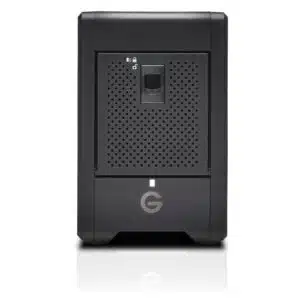
G-DRIVE
G-DRIVE G-RAID SHUTTLE 4
Shop Now This product has multiple variants. The options may be chosen on the product page -
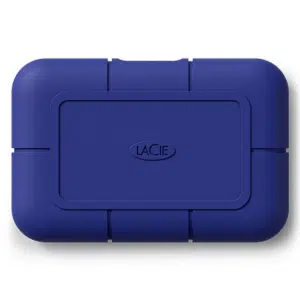
LaCie
LaCie Rugged SSD Pro5
Shop Now This product has multiple variants. The options may be chosen on the product page -
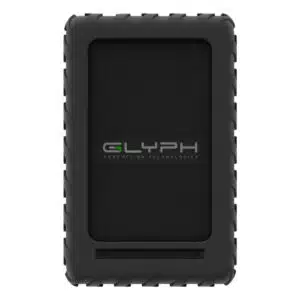
Glyph
Glyph Blackbox Plus Rugged Portable HDD
Shop Now This product has multiple variants. The options may be chosen on the product page -
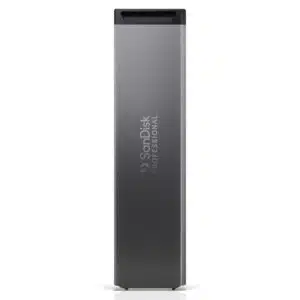
SanDisk Professional
SanDisk Professional PRO-BLADE SSD
Shop Now This product has multiple variants. The options may be chosen on the product page
Reviews
There are no reviews yet.