



Why buy from CCK
Storage specialists
Helpful guidance across portable, desktop, NAS and backup storage.
Expert pre-sales advice
Get help with compatibility, performance and choosing the right setup.
Fast UK delivery
Quick dispatch on in-stock items with clear delivery messaging.
Trusted UK supplier
Supporting creative teams, professionals and business customers across the UK.
G-DRIVE
G-DRIVE G-RAID SHUTTLE 4
Transportable, Enterprise-class 4-bay Desktop Hard Drive






Ask the Web Team
Need help choosing the right capacity or storage solution? Our web team can help with product advice, compatibility, and workflow guidance.


Friendly advice from our UK team
Overview
A transportable 4-bay hardware RAID solution with Thunderbolt™ 3 (40Gbps) and USB-C™ (10Gbps) interfaces offering content professionals up to 80TB of massive capacity and high-powered performance for consolidated backup, super-fast access, and real-time video editing. Supports multi-stream 4K, 8K, and VR workflows, RAID 0, 1, 5, and 10 configurations, and provides transfer rates up to 1000MB/s read and 1100MB/s write. Along with Ultrastar enterprise-class hard drives inside for enhanced reliability and a trusted 5-year limited warranty, the G-RAID SHUTTLE 4 is the ultimate storage solution for demanding video workflows on location and in the studio.
Ultrastar Enterprise-class 7200RPM Hard Drives
For all your demanding workloads and mission-critical footage, you can depend on the power and enhanced reliability of four (4) removable Ultrastar enterprise-class 7200RPM hard drives inside.
Massive Capacity, Transportable Design
With up to 104TB of high-powered RAID storage in an easy-to-transport design, content creators get a premium solution for their demanding workflows on location or in the studio.
High-Speed Data Transfers
With up to 700MB/s read and 850MB/s write speeds in default RAID 5 mode (96TB model only), high-speed data transfers using the Thunderbolt™ 3 (40Gbps) or USB-C™ (10Gbps) compatibility, and support for multi-stream 4K, 8K, and VR workflows, you can quickly move or copy your media so you can spend less time waiting and more time creating.
Built-in Hardware RAID
For balanced performance, G-RAID SHUTTLE 4 desktop hard drive comes ready to go in RAID 5. Or, select RAID 0, 1, 10, or JBOD for ultimate flexibility.
Daisy-chaining for up to 5 Additional Devices
With dual Thunderbolt 3 ports, you can conveniently daisy chain up to 5 additional devices, keeping you connected to multiple drives, 4K displays and more, through a single connection to your computer.
5-Year Limited Warranty
Backed by a 5-year limited warranty, you can be confident in the reliable storage of the G-RAID SHUTTLE 4 for years to come.
Key Features
- Optimized multi-stream workflows
- Daisy-chaining for up to 5 additional devices
- Built-in hardware RAID
What’s In The Box
- G-RAID SHUTTLE 4 Storage System
- Thunderbolt™ 3 Cable (USB-C™ compatible)
- IEC Power Cable
- Quick Start Guide
Frequently Asked Questions
What connectivity options does the G-RAID SHUTTLE 4 support?
The G-RAID SHUTTLE 4 supports Thunderbolt 3 (40 Gb/s) and USB-C™ (10 Gb/s), enabling high-speed transfers and professional workflows.
What RAID levels are available on the G-RAID SHUTTLE 4?
The G-RAID SHUTTLE 4 supports RAID 0, 1, 1E, 5, 10, and JBOD, with RAID 5 as the preconfigured default for maximum performance balance.
What operating systems are compatible with the G-RAID SHUTTLE 4?
The G-RAID SHUTTLE 4 is compatible with macOS 11+ and Windows 10+ (via reformat).
What software is required for G-RAID® SHUTTLE 4 management?
No software is required for G-RAID SHUTTLE 4 management. The G-RAID Software Utility is recommended for monitoring, RAID configuration changes, system diagnostics, and drive replacement workflows.
How do I replace a failed drive in the G-RAID SHUTTLE 4?
You identify the failed drive in the G-RAID SHUTTLE 4 using the G-RAID Software Utility, use the Locate function to blink the LED, remove the drive using the release mechanism, and insert a replacement drive.
Once replaced, the system will begin a rebuild automatically if the RAID configuration supports redundancy (for example RAID 1, RAID 5, or similar protected RAID modes). In non-redundant configurations such as RAID 0, rebuild is not possible and data will not be recoverable from a failed drive.
What safety conditions should I follow when using the G-RAID SHUTTLE 4?
The G-RAID SHUTTLE 4 must be used in a ventilated area, away from moisture, heat sources, and temperatures outside 5°C–35°C. It should not be exposed to physical stress, and internal components are not user-serviceable.
Related Articles
Guides
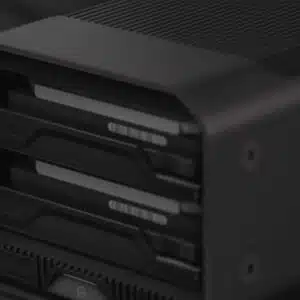
RAID Storage Explained
A simple guide to RAID storage, explaining RAID 0, RAID 1, RAID 5 and which setup is best for your workflow.
Read article →
Insights
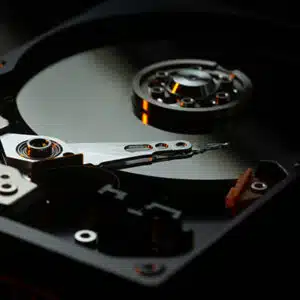
Is RAID a backup?
Is RAID a backup? No. RAID protects against drive failure, but it won’t save you from data loss. Learn why RAID isn’t enough and how to properly protect your data.
Read article →
| Capacity | |
|---|---|
| Compatibility | |
| Connectivity | |
| Data Transfer Rate | |
| Dimensions | |
| Drive Type | |
| Power | |
| RAID | |
| Warranty | |
| Weight |
Only logged in customers who have purchased this product may leave a review.
Downloads
Related products
-

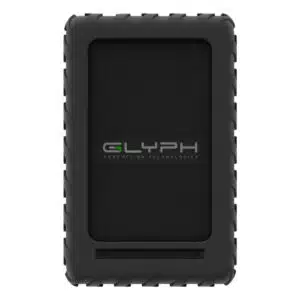
Glyph
Glyph Blackbox Plus Rugged Portable HDD
Shop Now This product has multiple variants. The options may be chosen on the product page -
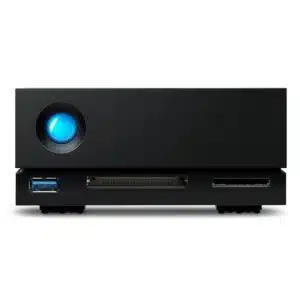
LaCie
LaCie 1big Dock HDD
Shop Now This product has multiple variants. The options may be chosen on the product page -
LaCie
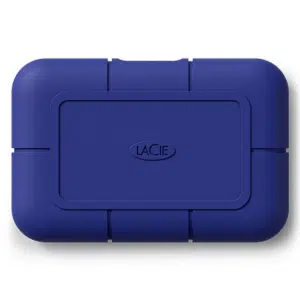
LaCie Rugged SSD Pro5
Shop Now This product has multiple variants. The options may be chosen on the product page -
LaCie
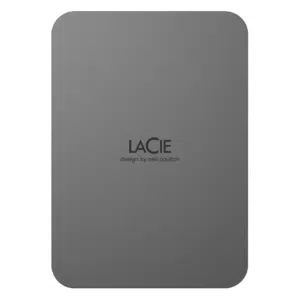
LaCie MOBILE DRIVE Secure USB 3.1-C SPACE GREY
Shop Now This product has multiple variants. The options may be chosen on the product page
Reviews
There are no reviews yet.